
Searchspeare user guide
This guide explains how to create projects, translate and review text, maintain translation memories and glossaries, run checks, and export files. Use the task table below or the sidebar to find a subject.
Start with a complete workflow
If this is your first visit, read Getting started for setup and Concepts and terms for the terminology used in the app. Then follow Your first project from choosing files to exporting a translation. A translation and review workflow explains how to organize a larger job.
Find the help you need
| What you want to do | Read |
|---|---|
| Choose between translation and review | Review projects |
| Manage files, resources, and project information | Project Home |
| Understand supported files and delivery options | Files and export |
| Choose extraction settings or return reviewed bilingual work | Office files, IDML, Text and structured files, Bilingual export and corrections |
| Create fixed review sets, segment ranges, or batches | Project Views |
| Rebuild extraction from a saved original | Reimport |
| Understand the editor areas and edit a segment | Editor, Translation table, Ribbon |
| Select several segments and check what a batch operation affects | Selecting segments and batch actions |
| Learn the different toolbars and their individual commands | Toolbar overview, Translation, Alignment, Memories, Termbases |
| Understand every ribbon tab and adjust the working display | Ribbon tab guides, View controls, Other workspaces |
| Fix sentence boundaries or rebuild a file's segmentation | Segmentation overview, Split/Merge, Resegment/Restore, Rules |
| Understand the right-side panel and every tab | Panel overview and tab guides |
| Investigate repeated wording and compare its translations | File Index |
| Create reusable website searches and collections of references | Custom search links, Search groups, Use links while editing |
| Reuse a previous translation | Translation memories, Pretranslation, Concordance |
| Maintain saved memory pairs and control unwanted edits | Memory editor, Locks and saving, Bulk maintenance |
| Keep terminology consistent | Glossaries and terms, Extract a glossary |
| Maintain a termbase with individual or group edits | Termbase editor, Locks and saving, Bulk maintenance |
| Turn separate source and target documents into reusable pairs | Alignment |
| Find problems or change recurring text | Filtering, Find and replace, Quality assurance |
| Learn the full QA process and create job-specific checks | QA workflow, Profiles, Results and decisions, Custom rules |
| Install spelling dictionaries and review misspellings | Spellcheck workflow, Dictionary installation, Results and filters |
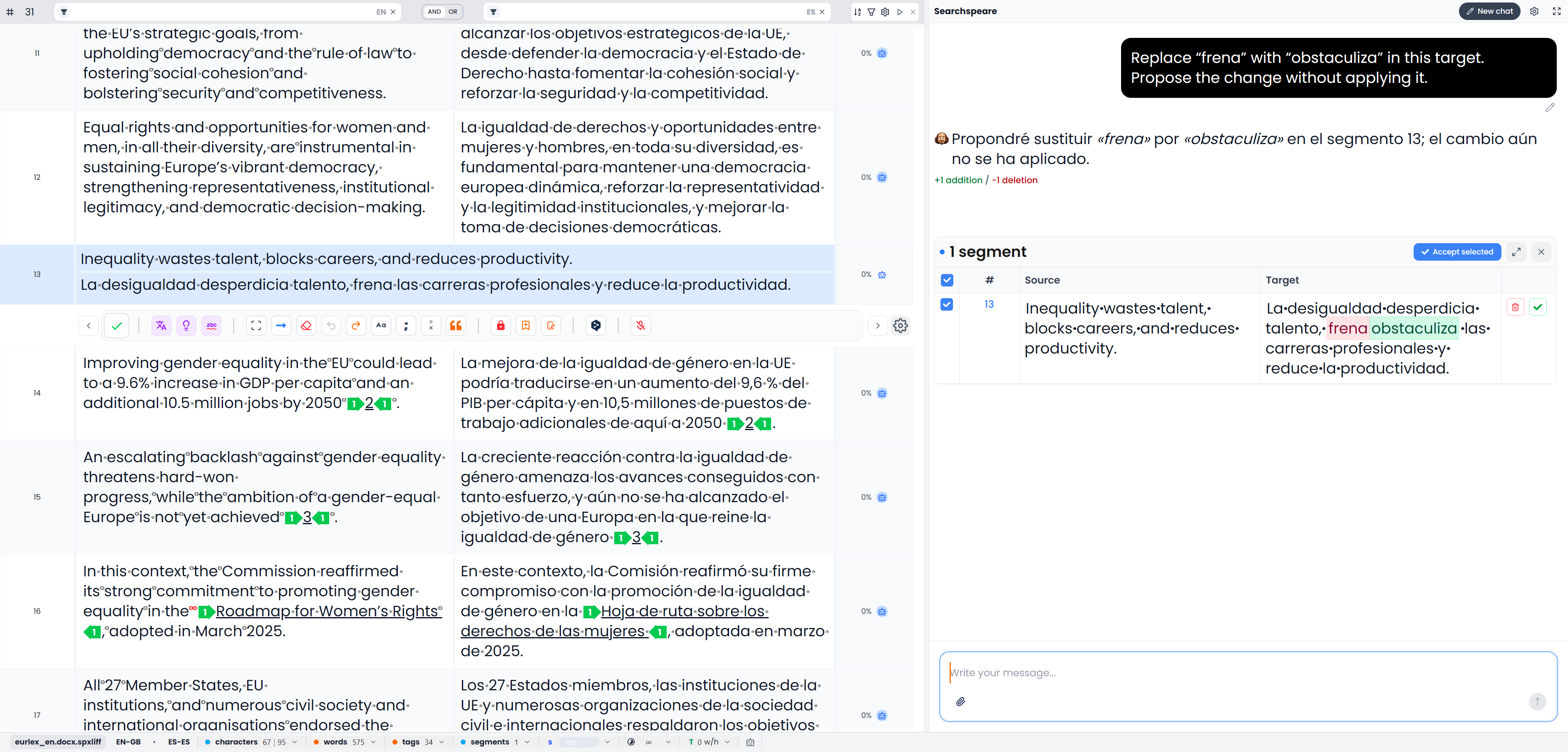
| Use AI for a draft, a question, or a proposed change | AI assistance, Chat, AI rules |
| Create reusable AI requirements and scope them to projects | AI rules, Creation, Project matching, Translation and review |
| Protect formatting and review edits | Tags, Comments and tracked changes |
| Understand dashboard cards, dates, and every Statistics chart | Dashboard overview, Your Week, Overview, Finances, Productivity, AI usage |
| Prepare a quotation, record the response, and export the offer | Quotations, Creation, Pricing, Statuses, Export |
| Enter spoken wording in the desktop editor | Desktop dictation |
| Use and configure typing completions | Autocomplete |
| Find earlier files through saved wording | Document search |
| Count work or prepare a document before import | Word-count reports, Format cleanup |
| Maintain clients and plan dated work | Clients, Tasks, Calendar |
| Understand preferences and language-analysis resources | General preferences, Editor preferences, Stopwords |
| Save account details, recover access, or describe an app issue | Profile and account, Submit feedback |
| Organize research and business work | Multi Search, Business and planning, Statistics and time tracking |
| Find saved work or make a backup | Storage and backups, Settings, Troubleshooting |
The guide uses the English labels in Searchspeare. Commands depend on the page, project type, current selection, and settings. A single-language review intentionally shows fewer bilingual tools. When a command is unavailable, first check those conditions.
Use Tools by task to compare tools with similar purposes. Reading this guide explains the examples and screenshots.