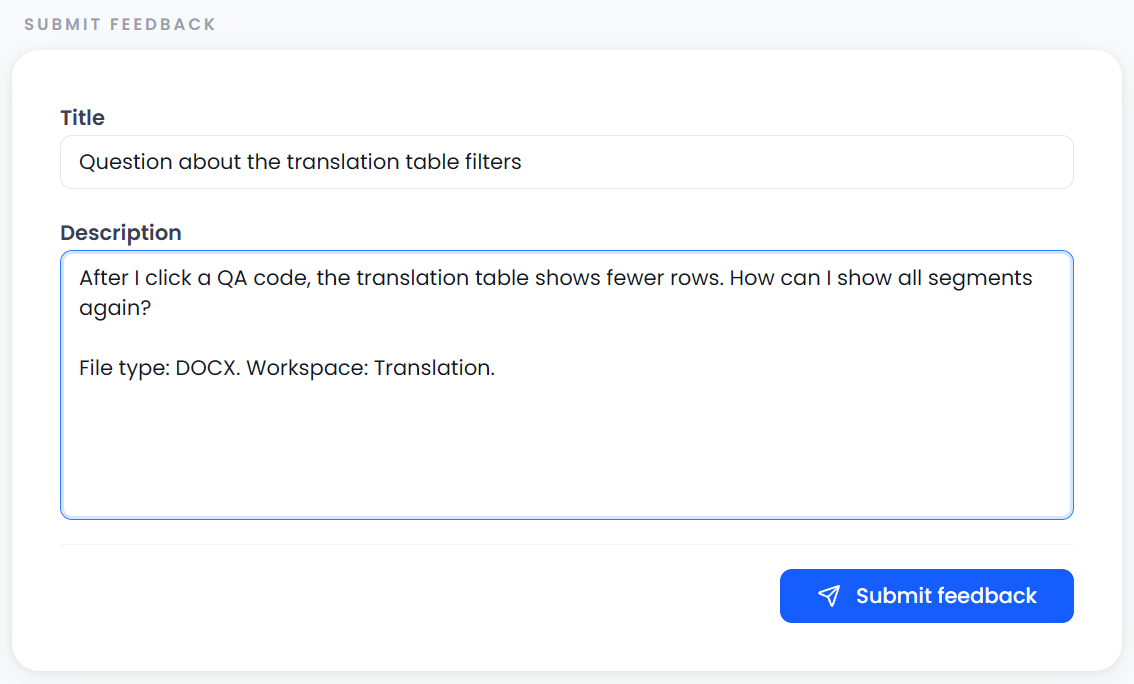
Submit feedback
Open Feedback → Submit feedback. The current form asks for a Title and Description. Both must contain text before submission.
Include these details
State the action, expected result, actual result, and steps to reproduce the problem. Include the file type or exact error when relevant, and read the submission result before assuming the feedback was saved.
Use it to describe a requested change or a reproducible problem. It does not correct the open document, restore lost work, or change a project's status.
Write a useful title and description
Name the affected task in the title. For example, “Returned bilingual file is rejected after external review” identifies a workflow more clearly than “It does not work.”
In the description, include:
- The page and action you used.
- The relevant file format and project type.
- The steps needed to reproduce the result.
- What you expected and what happened instead.
- The visible message, when one was shown.
- Whether the issue depends on a selection, filter, lock, or storage workspace.
Use an anonymized example when client material is involved. Do not put passwords, connection keys, or confidential source passages into feedback. The feedback feature's records can include title, description, and requester information; it is not a private note attached only to a translation segment.
Submit and read the result
Choose Submit and wait for the operation to finish. If the app reports that feedback was saved but its list could not refresh, the record may already exist; inspect the result before submitting a duplicate.
Read the result message to check whether submission succeeded. The form can clear even when submission fails. Keep a copy of a long description in case you need to retry.
The current form has no file-attachment, screenshot-upload, or conversation-thread controls. Describe the relevant message and provide the reproduction steps in its text fields. Saving feedback does not guarantee an immediate response, a scheduled change, or a fixed release date.
Use the right place for other information
| Information | Where it belongs |
|---|---|
| A question about a particular sentence | Comment |
| Requirements for the current job | Project instructions |
| A reusable translation requirement | AI rule |
| A task you need to complete | Tasks |
| A missing project or saved file | Troubleshooting and Storage and backups |