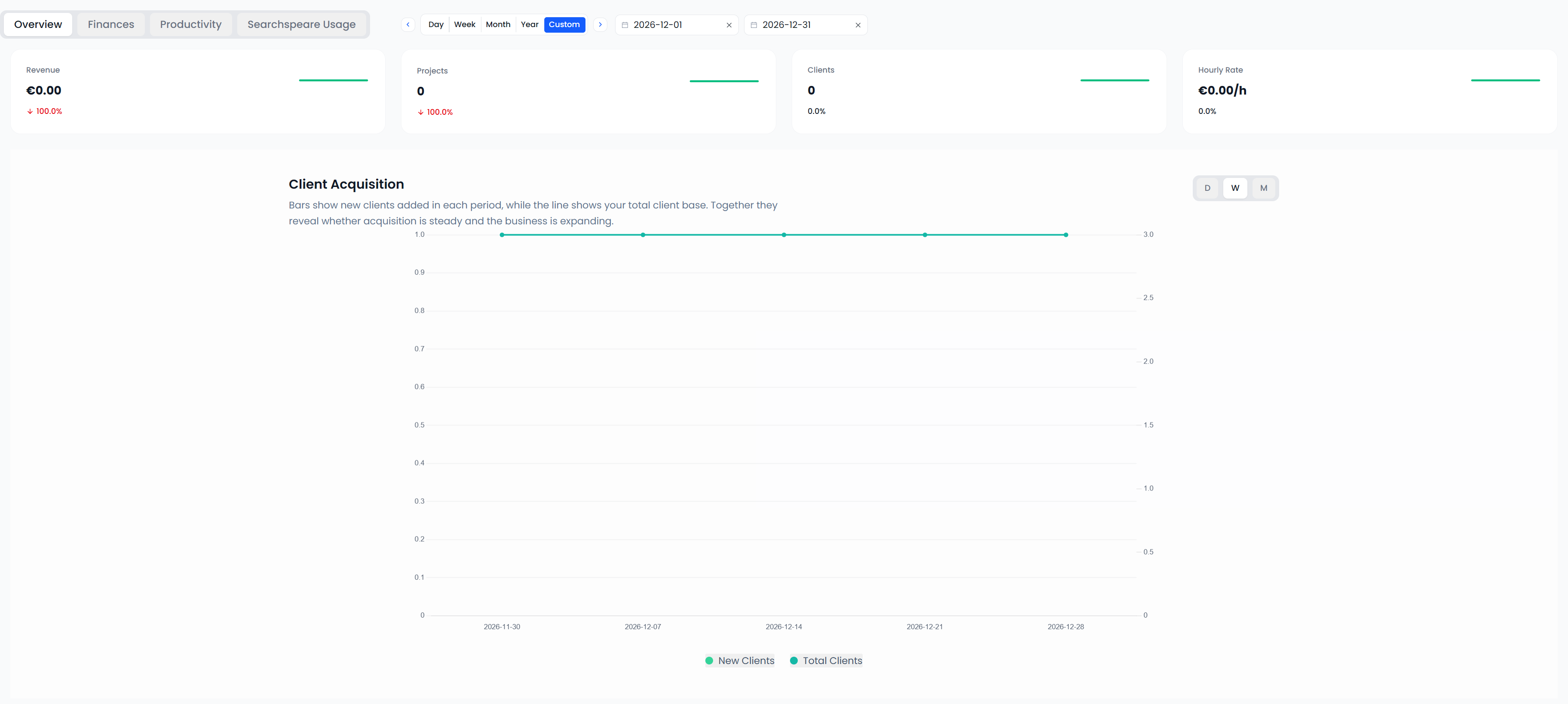
Statistics Overview tab
Unfinished projects can appear in these figures
Open Dashboard → Statistics → Overview. This tab describes projects with recorded work in the selected period. Recorded work includes qualifying confirmations or tracked working time; a project does not have to be finished to appear.
Cancelled projects are excluded from these project-activity figures. Check the period and currency controls before comparing values.
Read the four summary cards
| Card | Calculation |
|---|---|
| Revenue | Full recorded prices of projects worked on in the period, for the displayed currency |
| Projects | Number of qualifying projects worked on in the period |
| Clients | Distinct client records associated with qualifying work in the period |
| Hourly Rate | Project value attributed to confirmed work in the period, divided by tracked hours in that period, in the displayed currency |
Revenue includes the full price of an unfinished project once it has qualifying work in the range. It is different from invoices issued, payments received, or the value attributed only to words confirmed in that period.
Hourly Rate is a calculated work-value rate, not the hourly price in a contract. The calculation attributes a project's price in proportion to its confirmed source words relative to the project's recorded word count, then divides by tracked time. Check the card's currency independently of Revenue.
Click Projects to open the project list with the relevant work-date and status filters. If you later want the complete project list, clear those list filters.
Earnings
The horizontal axis shows grouped work dates; the vertical axis shows project value in the selected currency. Each qualifying project's full price is assigned once, to its latest recorded work date within the selected range.
For example, a project priced at €400 can contribute €400 even if you confirmed only part of it. This chart does not show that €400 was invoiced or paid on that date.
A project worked on in two separately selected months can appear in both monthly reports. Selecting a combined range counts it once and assigns it to its latest work date in that range. Adding separate period reports is therefore not a reliable way to reproduce a larger-range total.
Top Clients
Each bar shows the full recorded value of qualifying projects for a client in the selected currency. Hover values also give the project count.
Use the count to distinguish many small projects from fewer large ones. The bar is not that client's paid-invoice total. Missing client assignments also affect which client can be listed.
Language Pairs
Each slice represents the number of qualifying projects in a source–target language pair. It counts projects, not words, hours, or money.
One large project and one small project each contribute one project to their respective pair. Use Productivity or the project analysis when you need volume or time instead.
Client Acquisition
The bars show client records created in each grouped period. The line shows the cumulative client total represented by the timeline.
This uses the date you created the client record in Searchspeare. An existing customer added today counts as a new record today. The summary Clients card instead counts clients with project work in the selected period.
Project Value
This chart shows average recorded project value for each period and selected currency. Unfinished projects are included. Projects are assigned by the same latest-work-date rule used for the project-value timeline.
A higher average means that the included projects have a higher average recorded price. Compare their rates, sizes, and recorded time separately to understand the change.
Expertise
Each slice counts qualifying projects carrying an expertise/subject-area label. It describes the subject areas recorded on projects, rather than words translated in those subjects.
A project with several subject areas contributes to each applicable area. The summed area counts can therefore exceed the distinct Projects total. Projects with no recorded area do not create a named subject slice.
Revenue Concentration
This chart draws the six leading clients and displays their share of the full qualifying project-value total in the selected currency. The percentage labels refer to that full total, even though not every client is drawn.
Read the labels and hover values before treating the visible slices as a complete list. A large share means much of the recorded project value is associated with that client; it does not identify why that happened.
Workload
The bars show project counts, and the line shows full project values. Read each series against its corresponding axis. This chart uses the selected currency, so its project count need not equal the all-currency summary count.
Each project is assigned once to its latest work date in the range. The chart describes the projects represented in each group; it is not a daily count of words typed or hours worked. Use the Productivity tab for those recorded work measures.