
Custom pattern-based QA rules
A custom QA rule reports an additional condition that matters to your project. Use one when the built-in checks do not already express the requirement.
A pattern describes text to recognize. A Warning type decides what relationship between source and target should produce a finding. A Warning message explains what the reviewer needs to investigate. Creating a warning does not automatically replace text.
Choose the right kind of rule
Open Quality Assurance → Custom Rules → New Custom Rule. New rules offer two types:
- Regex QA recognizes text patterns and compares their matches. This guide explains it.
- Searchspeare QA evaluates a requirement described in plain language during a QA run. See Searchspeare QA rules.
AI-assisted rule creation still produces a pattern rule
Create rule with Searchspeare inside Regex QA is a third idea: assistance with authoring the pattern rule. The saved result is still a pattern-based check; it does not become an AI evaluation of every segment merely because AI helped write it.
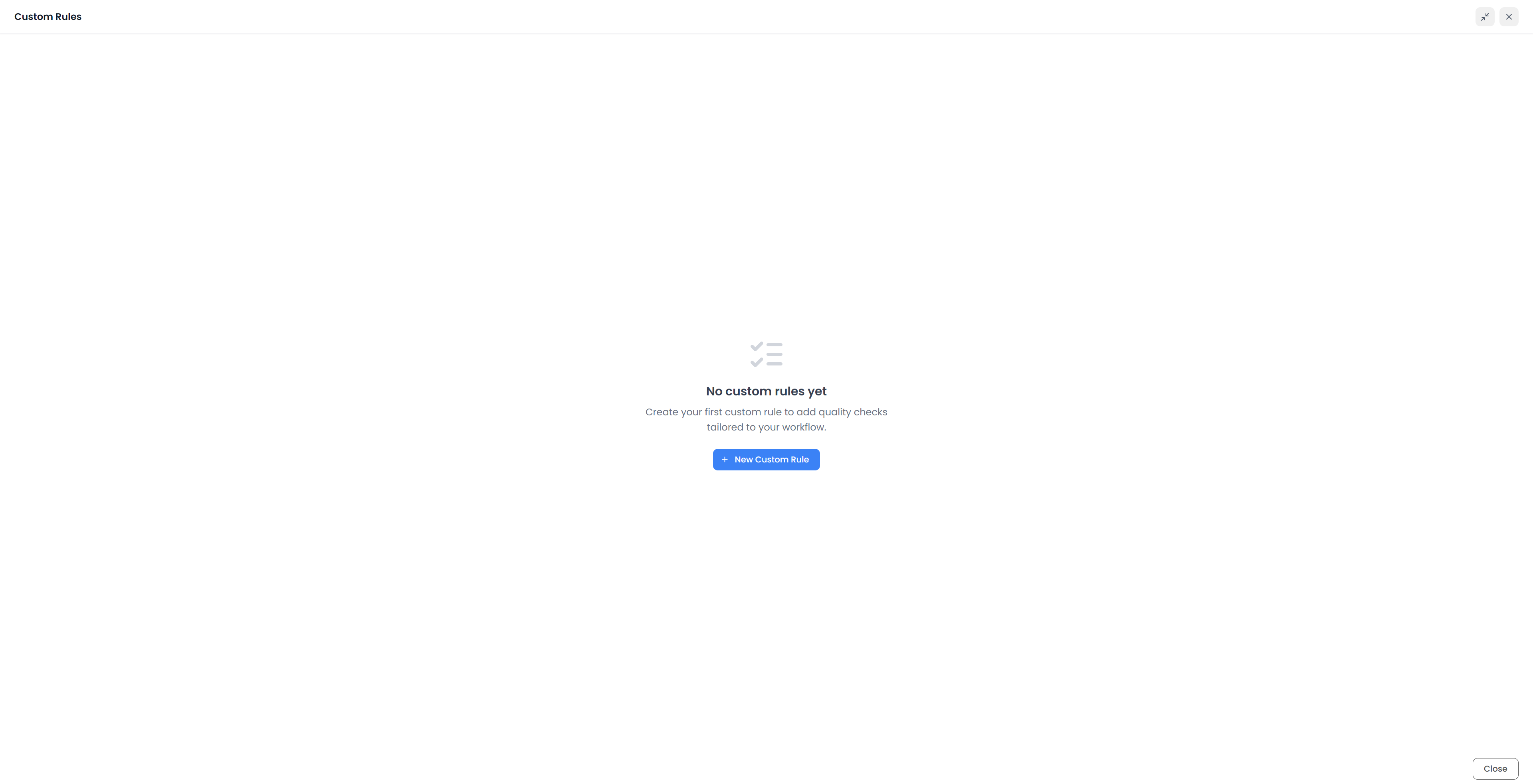
Build a pattern rule
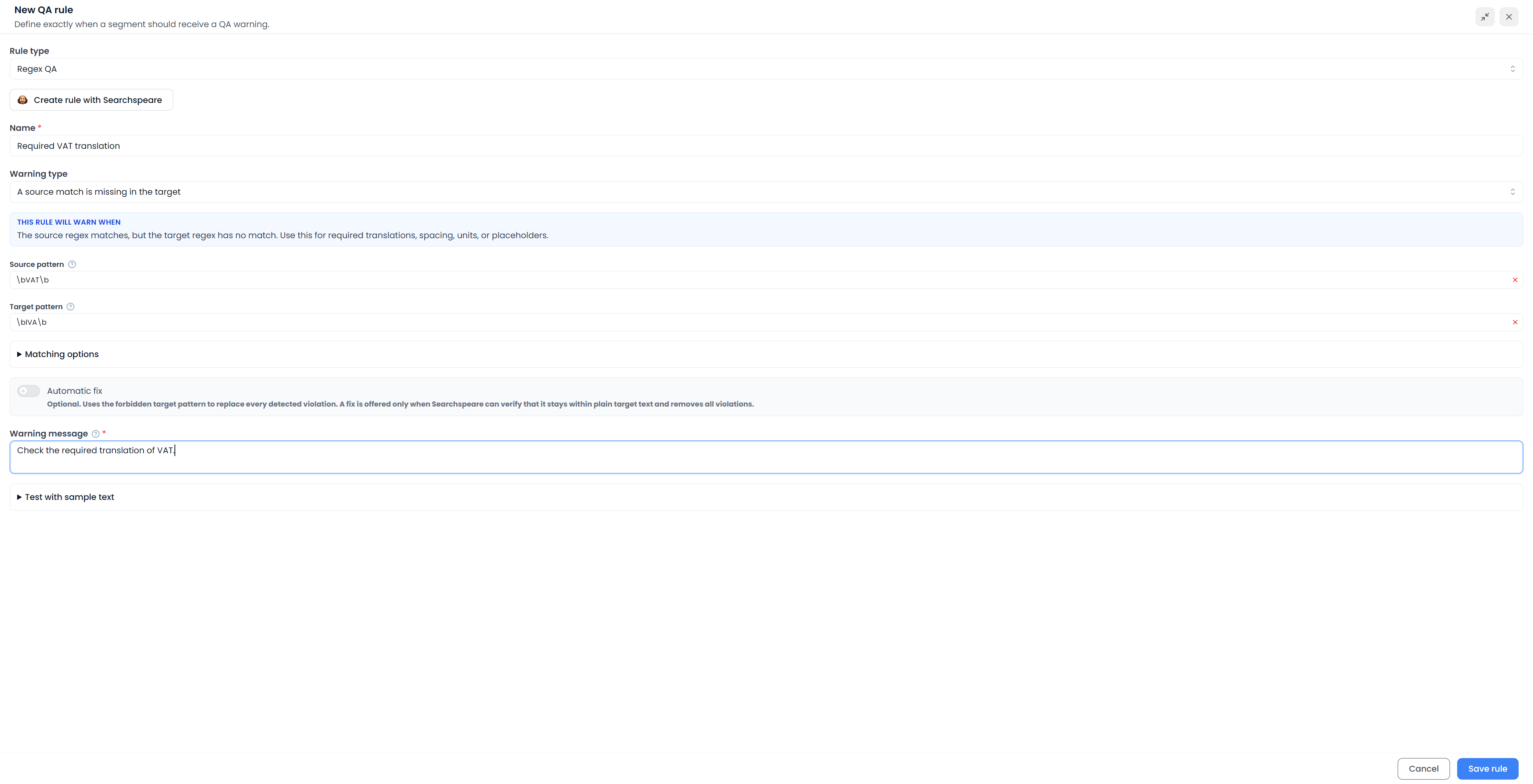
- Choose Regex QA.
- Give the rule a clear name.
- Choose the Warning type that represents the failure condition.
- Fill the source and target patterns required by that type.
- Check the matching options.
- Write a useful Warning message.
- Test failing and passing samples.
- Choose Save rule.
- Enable the saved rule in the custom profile you intend to run.
The form supplies a rule code. That code identifies its findings in the QA list. A rule saved to the collection is not necessarily enabled in an existing custom profile; check the profile explicitly. All Rules includes the available custom rules.
Ask Searchspeare to draft the rule
In the Regex QA form, choose Create rule with Searchspeare. Explain what should trigger a warning and supply a failing source–target pair and a passing pair. The assistant can prepare the comparison, patterns, warning message, and other fields for your review.

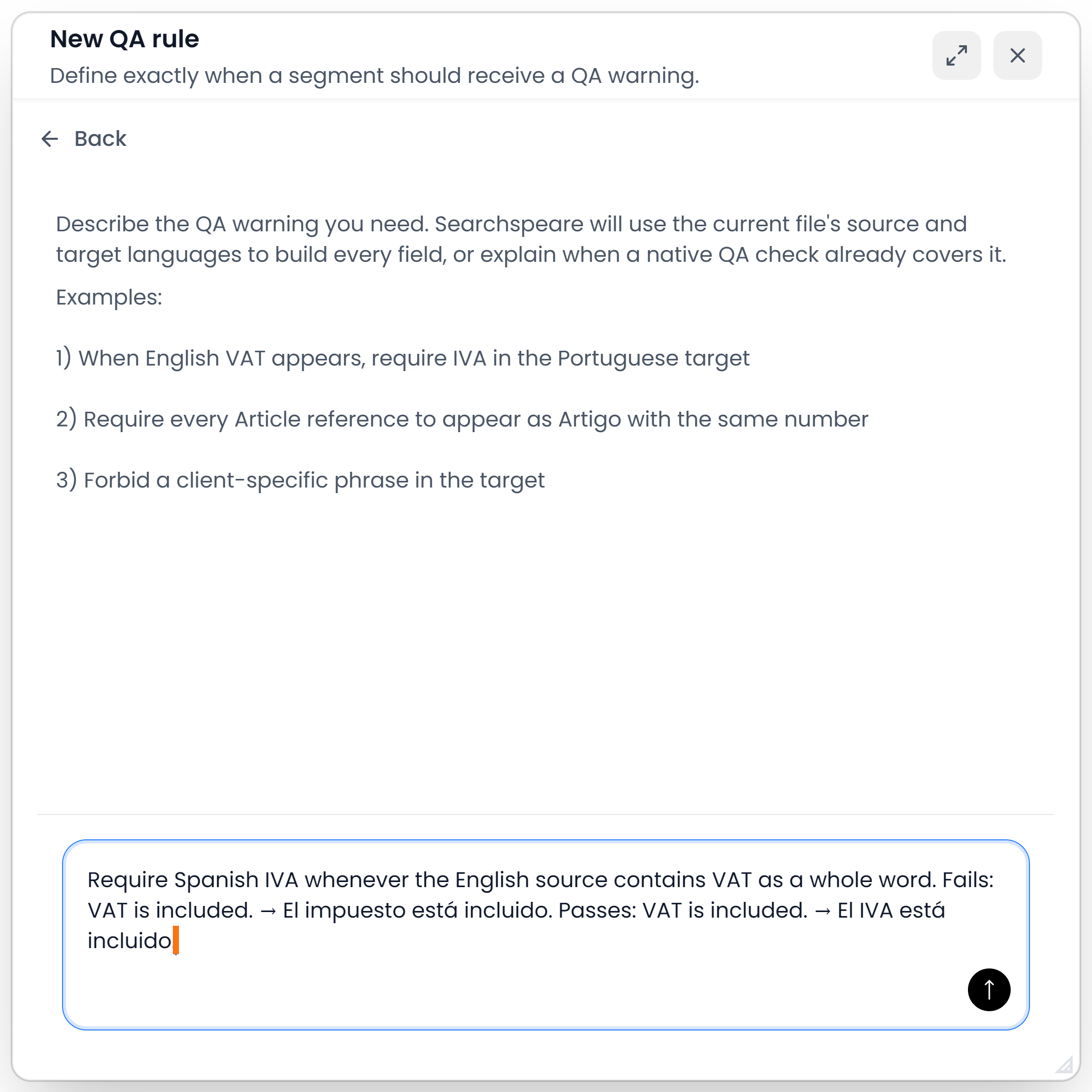
Accept returns the proposal to the form; it does not save or run the rule. Test the resulting fields with sample text, save the rule, and enable it in the profile you will run. You can ask follow-up questions to refine the proposal before accepting it.
Follow Create rules with Searchspeare for the complete procedure, example requests, and the difference between this helper and Searchspeare QA.
Choose a Warning type
| Warning type | Reports when | Suitable example |
|---|---|---|
| A source match is missing in the target | The source pattern matches but the target pattern does not | A source label requires a target equivalent |
| A forbidden source-to-target combination occurs | Both patterns occur in their respective sides | A particular source concept must not use a misleading target term |
| A target match has no source match | The target pattern occurs without its source counterpart | A target-only condition needs investigation |
| Source and target match counts differ | The two patterns occur different numbers of times | Repeated placeholders must be retained |
| Matched source and target values differ | The ordered lists of matched values differ | Codes must remain in the same sequence |
| Matched values differ (any order) | Values or their occurrence counts differ, allowing reordering | Identifiers must be preserved but may move |
| A source replacement is missing in the target | Text constructed from a source match is absent | A numbered reference needs its translated label and the same number |
| A source replacement is forbidden in the target | Text constructed from a source match is present | A particular source label must not remain untranslated beside its number |
| Source match and target replacement counts differ | Constructed target text occurs a different number of times | Repeated numbered references must be preserved individually |
| Require or forbid each pattern independently | A required side lacks its pattern, or a forbidden side contains it | A target must not contain a draft marker |
Most comparison types require both pattern fields. Independent can check only one side: leave the other empty. In that mode, a filled pattern starts as required; use its filter icon to make it forbidden. Read the required/forbidden indicator rather than assuming that entering a word means “flag this word.”
Example: require a terminology equivalent
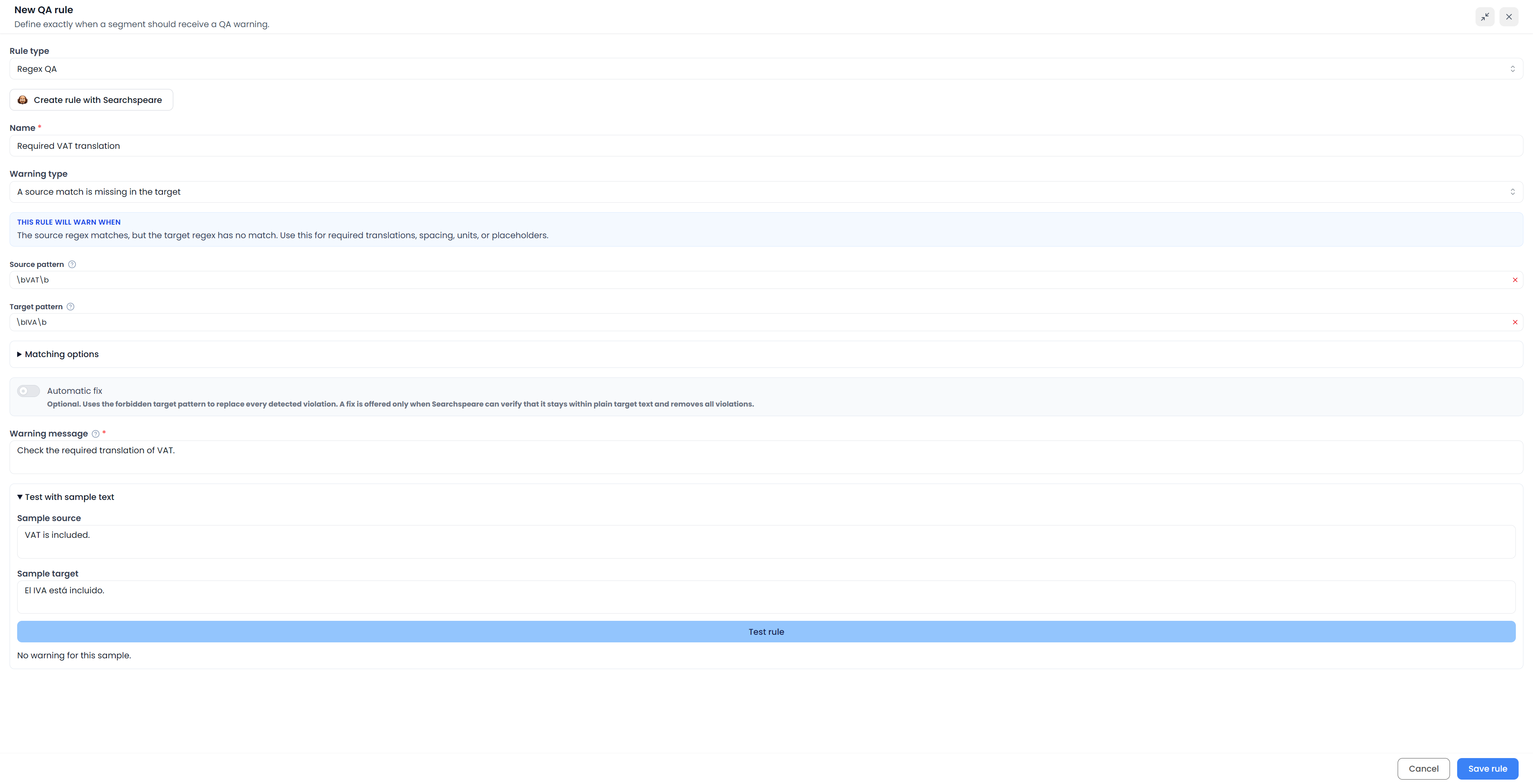
Suppose your requirement is: when the English source contains “VAT”, the Portuguese target must contain “IVA”.
- Warning type: A source match is missing in the target.
- Source pattern:
\bVAT\b. - Target pattern:
\bIVA\b. - Warning message: “Check the required translation of VAT.”
Test at least these pairs:
| Source | Target | Expected |
|---|---|---|
| VAT is included. | O imposto está incluído. | Warning |
| VAT is included. | O IVA está incluído. | No warning |
| Tax is included. | O imposto está incluído. | No warning from this rule |
This rule checks whether the wording is present. To compare occurrence counts or associated values, choose the corresponding comparison. For terms you want to reuse across projects, consider a glossary and its terminology checks.
Example: keep a numbered reference
Choose A source replacement is missing in the target. Enter:
- Source pattern:
\bArticle (\d+)\b. - Expected target text:
Artigo $1.
For “Article 12”, the captured number makes the expected text “Artigo 12”. “Artigo 13” does not satisfy that requirement. If the source mentions the same reference several times and counts matter, use the replacement-count comparison instead.
In the three replacement-based Warning types, the target field is literal expected or forbidden text assembled from source matches, not another regex. Supported references include $1, $2, $<name>, $& for the whole match, and $$ for a dollar sign. Check the field label when changing Warning type so you do not treat replacement text as a pattern.
Set the matching options
Enter patterns without surrounding slash delimiters. Matching is case-sensitive unless Ignore case is enabled.
The other options let line anchors match individual lines, allow a dot to match line breaks, and Ignore URLs and email addresses. The last option starts enabled so a general word or punctuation pattern does not accidentally inspect an address's internal text. Turn it off only when the requirement actually concerns those addresses.
Regular expressions explains boundaries, groups, character classes, and common mistakes. A pattern can be syntactically valid and still detect the wrong condition.
Test before using the rule
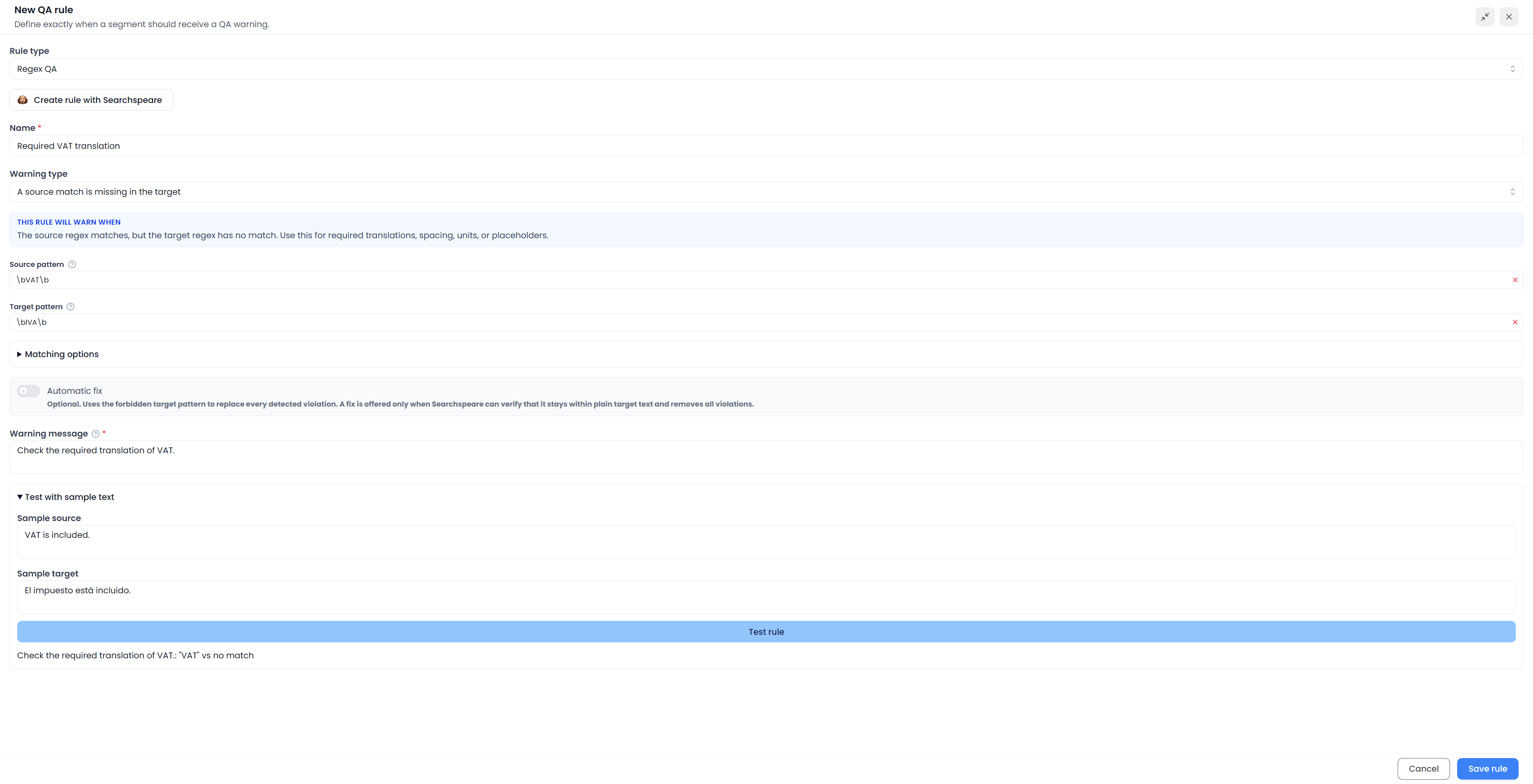
Expand Test with sample text, enter Sample source and Sample target, and choose Test rule. Change one relevant detail at a time and test again after editing the rule.
Include a genuine failure, a valid translation, a near miss, repeated occurrences if relevant, and variations in capitalization or punctuation. “No warning for this sample” means the rule did not report that sample; it does not certify the translation's overall quality.
The sample tester checks detection. It does not apply an automatic correction to a real document. After saving, run the rule through a suitable profile on sample text as well.

Add an automatic fix only when appropriate
The optional Automatic fix is supported for an independent forbidden-target pattern. Its find pattern is the target violation pattern. Supply the replacement that should remove those violations.
For example, an explicit client prohibition on a target word can have a tested preferred replacement. A cross-language meaning judgment is not a suitable automatic replacement merely because it produced a warning.
A fix is offered only when Searchspeare can validate a correction within suitable plain target text and verify that it removes the violations. It may be unavailable where tags or other content prevent a safe correction. Inspect the applied sentence and read QA fixes before using a bulk action.
Maintain a rule
Use Custom Rules to edit or delete your checks. Editing the shared rule changes the definition used by profiles that include it. For a temporary job-specific exception, changing a profile's enabled selection may be more appropriate than deleting a useful rule.
After editing, test again, verify profile membership, and rerun QA. Old saved findings do not demonstrate how the revised rule behaves.