
Stats ribbon
The Stats tab helps you measure work and understand the calculation used for planning. Counts describe the material and workflow state; they do not certify translation quality.

Word Count
Choose Word Count to open the available word, segment, and tag statistics. Inspect the report's scope and categories before using a figure for a quotation or completion decision.
For example, a total word count and an amount remaining to translate answer different questions. Memory-match categories can also describe different levels of reuse without establishing that every match is suitable.
Weighted Words
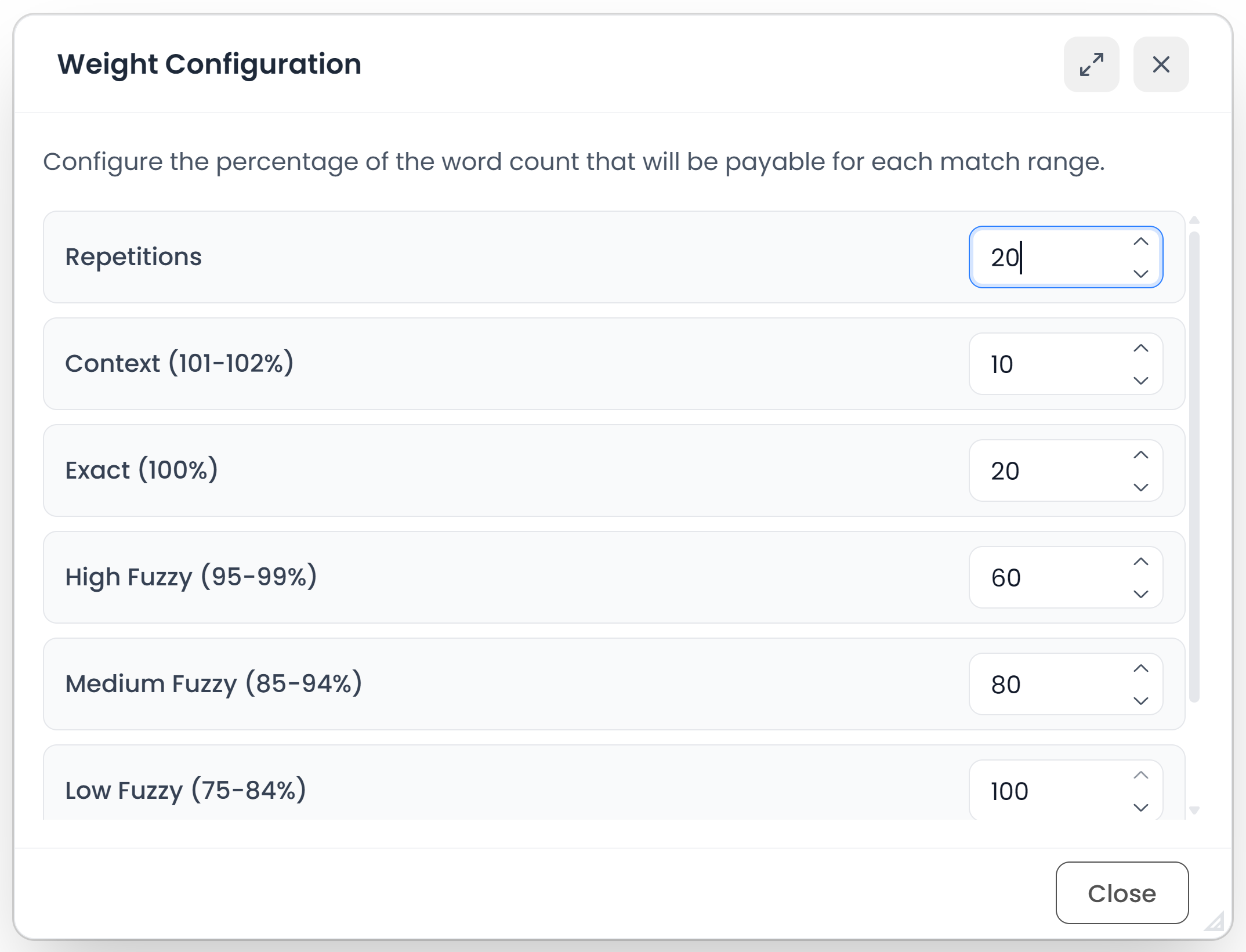
Weights change the calculation, not the source text
Choose Weighted Words to configure the weighting rules used for weighted calculations. A weight expresses how a category contributes to the calculated workload; it does not remove the underlying words from the source.
Use the client's or your own agreed analysis method consistently. Changing a weighting preference does not rewrite segments or confirm them.
Compare counts from different commands
Check language pair, relevant file or project, repetition/match categories, and completion state before using a figure for planning or pricing. Read Statistics and time for recorded activity and Quotation analysis and pricing for how quotation totals are calculated.