
Review projects
A review project is for improving existing text. Open Projects → Review and choose New. The files you add determine whether you are reviewing a translation against its source or revising a document in one language.
Choose the review type
Use a bilingual exchange file to review a translation beside its source. Use a single-language document to revise its existing text. These use different project setups and must be kept in separate review projects.
Choose the right review type
| Your material | Use | What you work on |
|---|---|---|
| A supported bilingual exchange file containing a source and translation | Bilingual review | The target alongside the source |
| A supported single-language source document | Single-language review | The document text, already present and ready to revise |
Do not mix these types in one review project. Searchspeare asks you to use separate projects because the working tools and language setup differ.
Bilingual review
Add a bilingual file, verify both languages, enter the project details, and select suitable memories and glossaries. This follows the same five-step structure as a translation project.
Use the source to check meaning and completeness. Use glossary terms, memory matches, and concordance where relevant. Enable tracked changes if the revisions need to remain visible. Confirm reviewed segments when satisfied; the approved bilingual pairs can be added to the attached memories.
An imported file may already contain target text and statuses. Read them in context rather than assuming the whole file is either unfinished or approved.
Single-language review
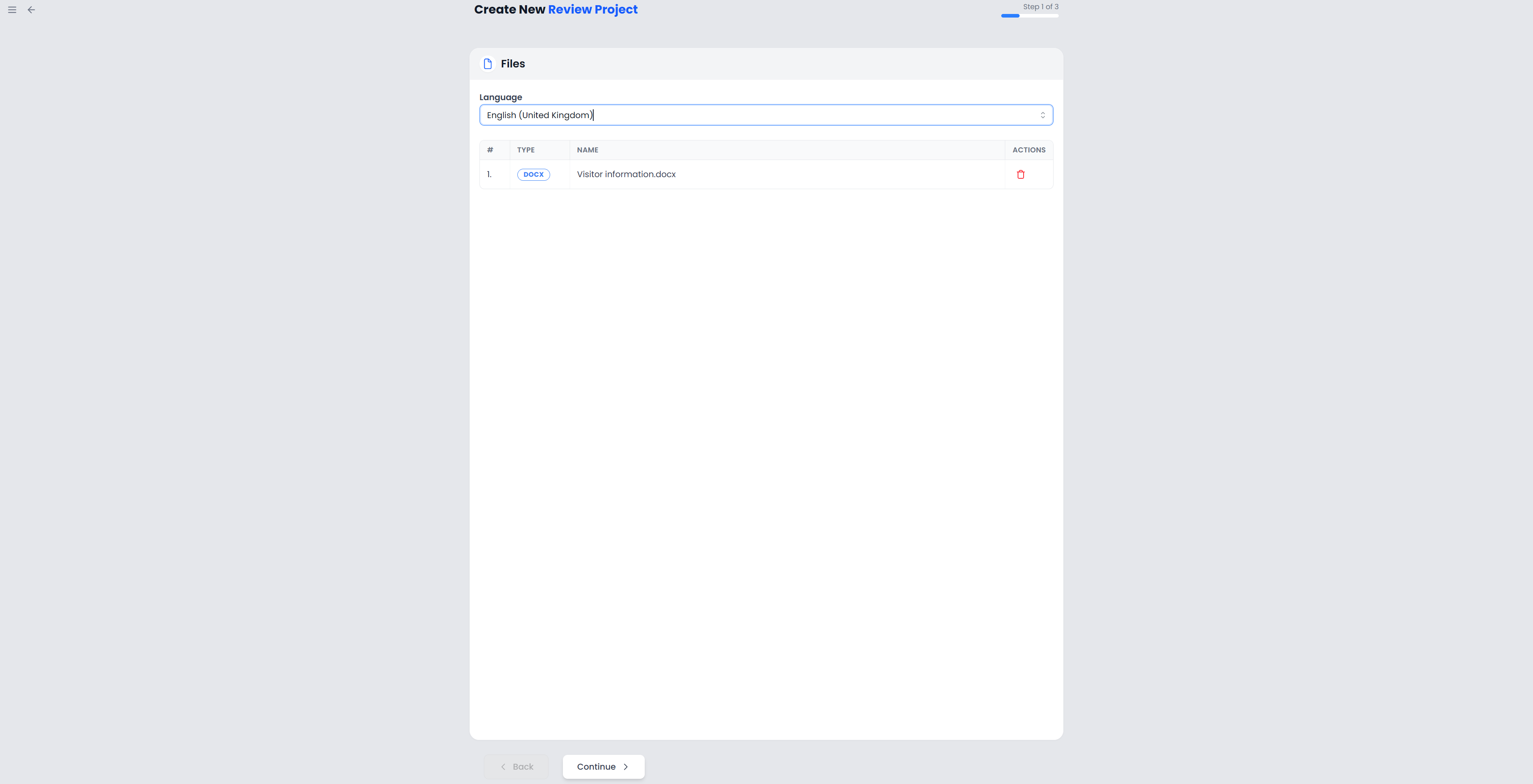
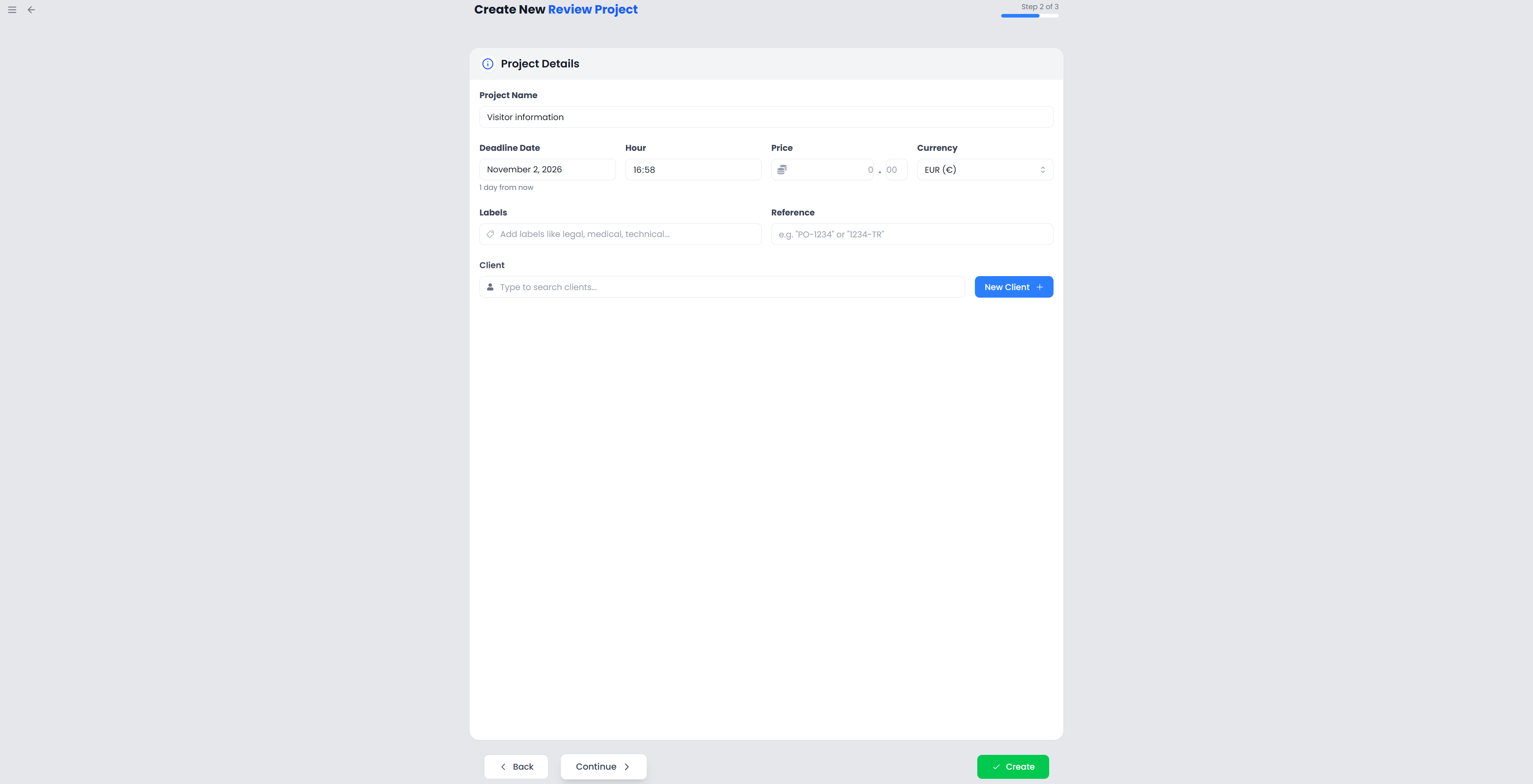
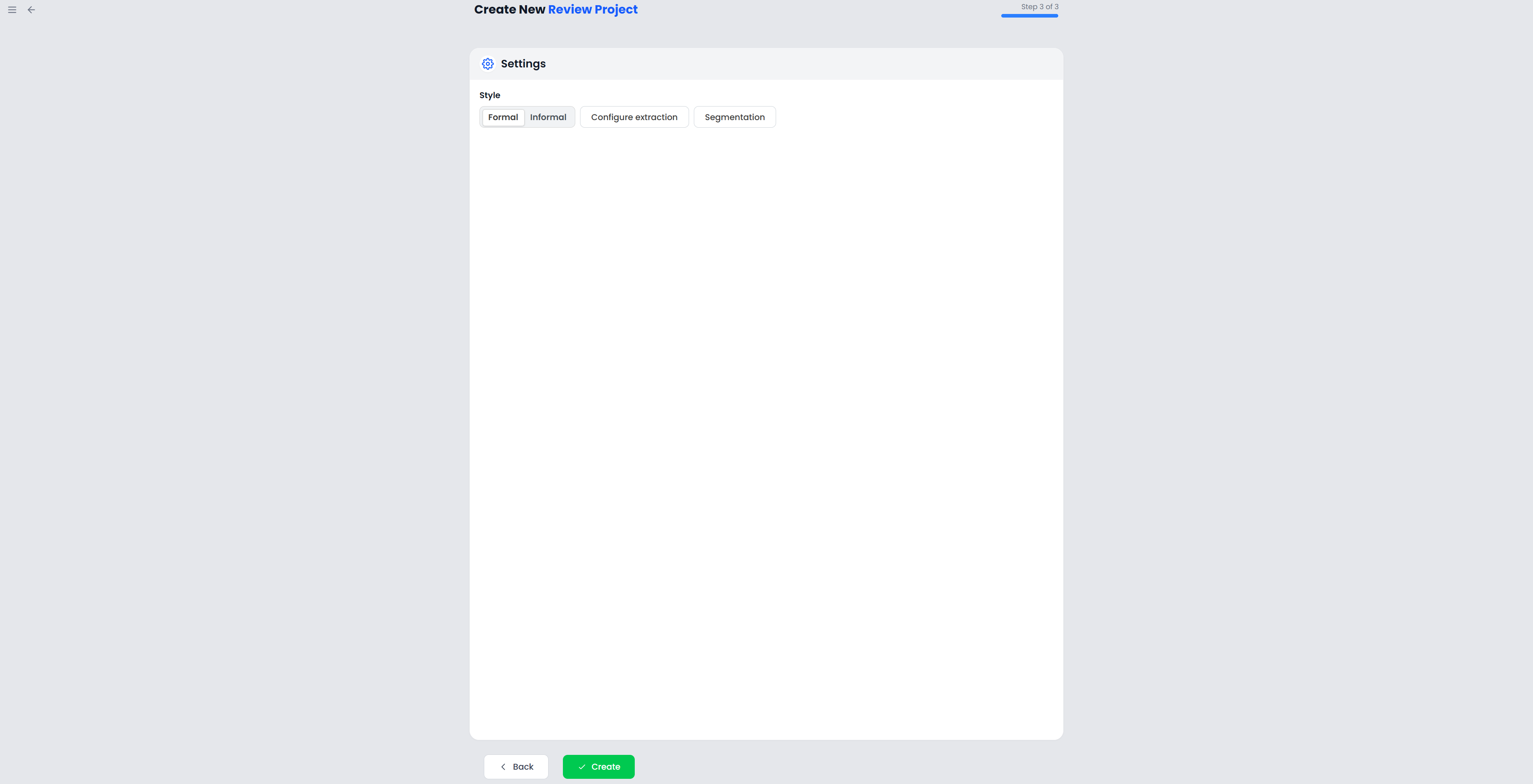
Add a supported document and select its language. This wizard has three steps: Files, Project details, and Settings. You do not need to select a different target language, a memory, or a glossary.
Searchspeare presents the document text for revision. The workspace focuses on that text and hides bilingual features such as memory matches, concordance, terminology resources, and source-versus-target comparison filters.
A practical review:
- Open a file and read the existing text.
- Enable Track changes if you want to inspect your revisions.
- Edit for clarity, correctness, and consistency.
- Add comments for questions that should remain visible.
- Use spelling checks and applicable QA rules.
- Confirm the segments you have approved.
- Export the revised document and inspect it in its normal application.
Restore original text replaces the selected segment's working text with its imported document text. Use it when you intentionally want to discard that segment's revision.
Review and apply AI proposals
The AI review actions can propose revisions. Review the highlighted differences and apply the changes you want. A fluent rewrite can still alter emphasis or meaning; compare each proposal with the brief.
Applying a proposal and confirming a segment are separate decisions, although a setting can confirm after applying an individual preview row. Check that preference if acceptance changes a segment's status. See AI changes.
Export the reviewed file
For further work in a translation tool, choose a bilingual export. For a document intended to be read, choose the translated or revised document output when supported. Check how the selected format handles comments and tracked changes rather than assuming every format carries the same review information.