
Built-in QA checks
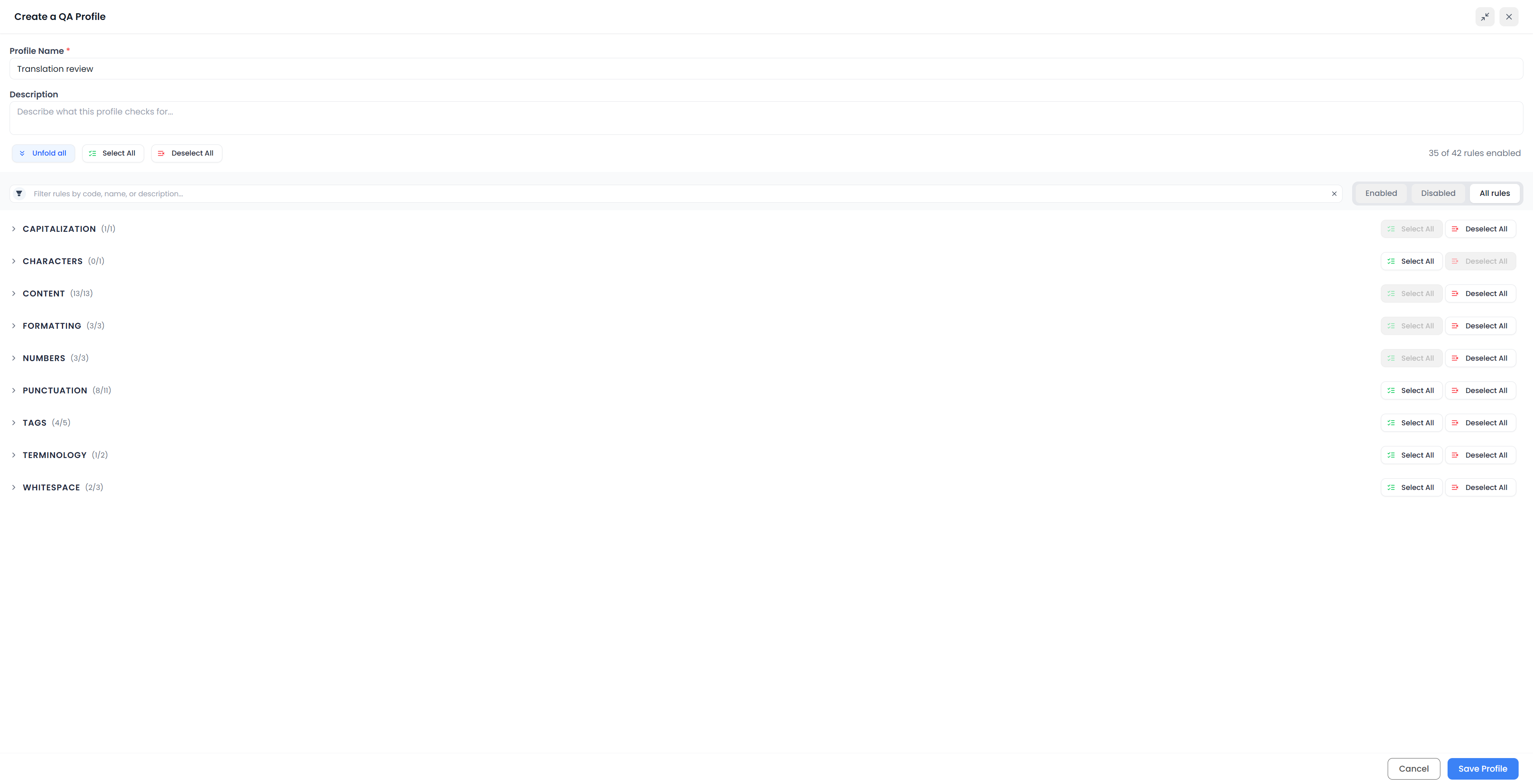
Built-in checks look for defined conditions in the source, target, formatting, or related segments. Their codes help identify which check produced a result. Use the code and message together: two findings with the same code can concern different words, numbers, or tags.
The profile determines which checks run. Some also depend on the target language, an attached glossary, or profile settings. An enabled check with no relevant input may produce no findings.
Tags and formatting
| Code | Check | What to investigate |
|---|---|---|
| 2003 | Unpaired or overlapping tags | A target tag pair is incomplete or incorrectly nested |
| 2011 | Missing tag | A required source tag has not been used in the target |
| 2015 | Extra tag | The target contains an additional tag that needs inspection |
| 2016 | Changed tag order | The relative tag order differs; check that the markers still surround the correct content |
| 2017 | Tag spacing changed | Spacing immediately beside an unchanged tag differs from the source |
| 3131 | Extra bold/italic/underline | The target has emphasis not represented in the corresponding source formatting |
| 3132 | Missing bold/italic/underline | Source emphasis is missing from the target |
| 3133 | Bold/italic/underline mismatch | Uniform source emphasis is not matched in the target |
Show tags while investigating tag findings. A missing tag and a broken tag structure need different repairs. Tag order and surrounding spaces also need language judgment: moving an emphasized phrase can be legitimate, but attaching its marker to the wrong phrase is not.
Use Handling tags for insertion and repair. Hiding tags changes their display; it does not resolve a QA result.
Missing, repeated, or inconsistent text
| Code | Check | What to investigate |
|---|---|---|
| 3010 | Empty target segment | A target has no usable translated content |
| 3030 | First letter's capitalization | Source and target begin with different capitalization patterns |
| 3040 | Target segment equals source | Source wording may have been left untranslated |
| 3085 | Duplicate words | A repeated target word may be accidental |
| 3101 | Inconsistent translation | Equivalent repeated source wording has different target variants in the segments included in the QA run |
An unchanged brand name can be correct. Repeated words can occasionally be grammatical. An identical source sentence can require different translations in different contexts. Use these findings to ask a question, then inspect the sentence before changing it.
For inconsistent translations, compare the full source group and choose the intended target. The fix controls can help apply a chosen baseline.
Fill an empty target before checking other issues
When a target is empty, QA prioritizes that problem instead of listing the other issues caused by missing text. Fill the target and recheck it.
Numbers and length
| Code | Check | What to investigate |
|---|---|---|
| 3062 | Numbers do not match | A target value differs from the expected source values |
| 3063 | Missing number from the target | A source number appears to be absent |
| 3064 | Same numbers | The source and target number values or their occurrence counts differ; the comparison allows reordering |
| 3081 | Translation too short | The target is unusually short relative to the source |
| 3082 | Translation too long | The target has unusually many words relative to the source |
| 3083 | Translation longer than character limit | The target exceeds the check's length condition |
Read numerical values in context, including their units and what they refer to. Matching number lists do not establish that each number is attached to the correct instruction or component.
The built-in length checks have specific conditions:
- Too short compares analyzed character lengths: the target is below half the source length and the word counts differ. Empty targets have their own check.
- Too long applies when the analyzed source has more than five words and the target has more than twice as many words, with a differing word count.
- Character limit currently reports when the analyzed target exceeds 1,000 characters and is longer than the source. It is not a configurable client-specific field limit.
These checks are clues about omissions or expansion, not universal translation ratios. For a client's exact requirement, use a suitably tested custom check.
Punctuation, spaces, and characters
| Code | Check | What to investigate |
|---|---|---|
| 3001 | Forbidden characters | A target character is forbidden by the current profile's configured list |
| 3020 | Ending punctuation different | The source and target end differently |
| 3050 | Multiple consecutive whitespaces | Repeated spacing may be accidental |
| 3072 | Extra space before sign | Spacing before punctuation conflicts with the check |
| 3073 | Space missing after sign | A punctuation mark may need following space |
| 3074 | Extra space after sign | Space appears where the check expects none |
| 3075 | Non-breaking space missing before sign | The required kind of space is missing before the relevant punctuation |
| 3076 | Spanish paired punctuation | A Spanish question or exclamation needs its opening mark |
| 3077 | Different number of quotes/brackets | Source and target counts differ |
| 3078 | Invalid bracket structure | Parentheses, square brackets, or braces are unpaired or incorrectly nested |
| 3079 | Incorrect sequence of punctuation marks | A punctuation sequence needs review |
| 3080 | Multiple dots | Repeated full stops are not a three-dot ellipsis |
| 3090 | Non-breaking space missing before unit measure | A number and unit may need to remain together |
| 3091 | French punctuation spacing | French punctuation needs the expected non-breaking spacing |
| 3110 | Space at end of segment | Unwanted trailing space remains |
| 5002 | Spaces between parts | Adjacent target parts may need separating space |
Language-specific checks use the target language. Check that language before changing valid punctuation to satisfy a rule intended for a different language.
A normal space and a non-breaking space can look alike. Turn on non-printing-character display when a spacing result is hard to understand. For repeated dots, the fix menu can offer Add dot or Suppress dot; choose the intended punctuation rather than treating the alternatives as interchangeable.
Terminology and reusable content
| Code | Check | What to investigate |
|---|---|---|
| 4000 | Missing target term | Relevant attached-glossary terminology is missing or forbidden target terminology has been detected |
| 4002 | Forbidden target terms | A profile-specific forbidden word or phrase occurs and has a configured replacement |
| 5000 | Source URL missing | A source web address is absent or changed in the target |
| 5001 | Placeables don't match | Recognized reusable values or markers differ between source and target |
| 5003 | Source URL changed | A source segment consisting entirely of a web address was not preserved exactly |
| 5004 | Source email address changed | A source segment consisting entirely of an email address was not preserved exactly |
| 5005 | Source email address missing | An email address embedded in source text is missing or changed |
The glossary and profile word-list checks have different sources of requirements. Terminology checks explains how to prepare them.
Web addresses and email addresses also receive special treatment in other checks to reduce findings on their internal punctuation and numbers. For an additional custom requirement, inspect the custom rule's Ignore URLs and email addresses option.
Choose checks for the job
Start with a suitable profile, inspect a sample set of findings, and adjust your custom profile when a check is inappropriate for the requirement. Prefer understanding a repeated false positive to ignoring hundreds of findings without investigation.
For requirements outside this catalog, use a custom pattern rule or a Searchspeare QA rule. Neither replaces reading the translation for meaning and suitability.