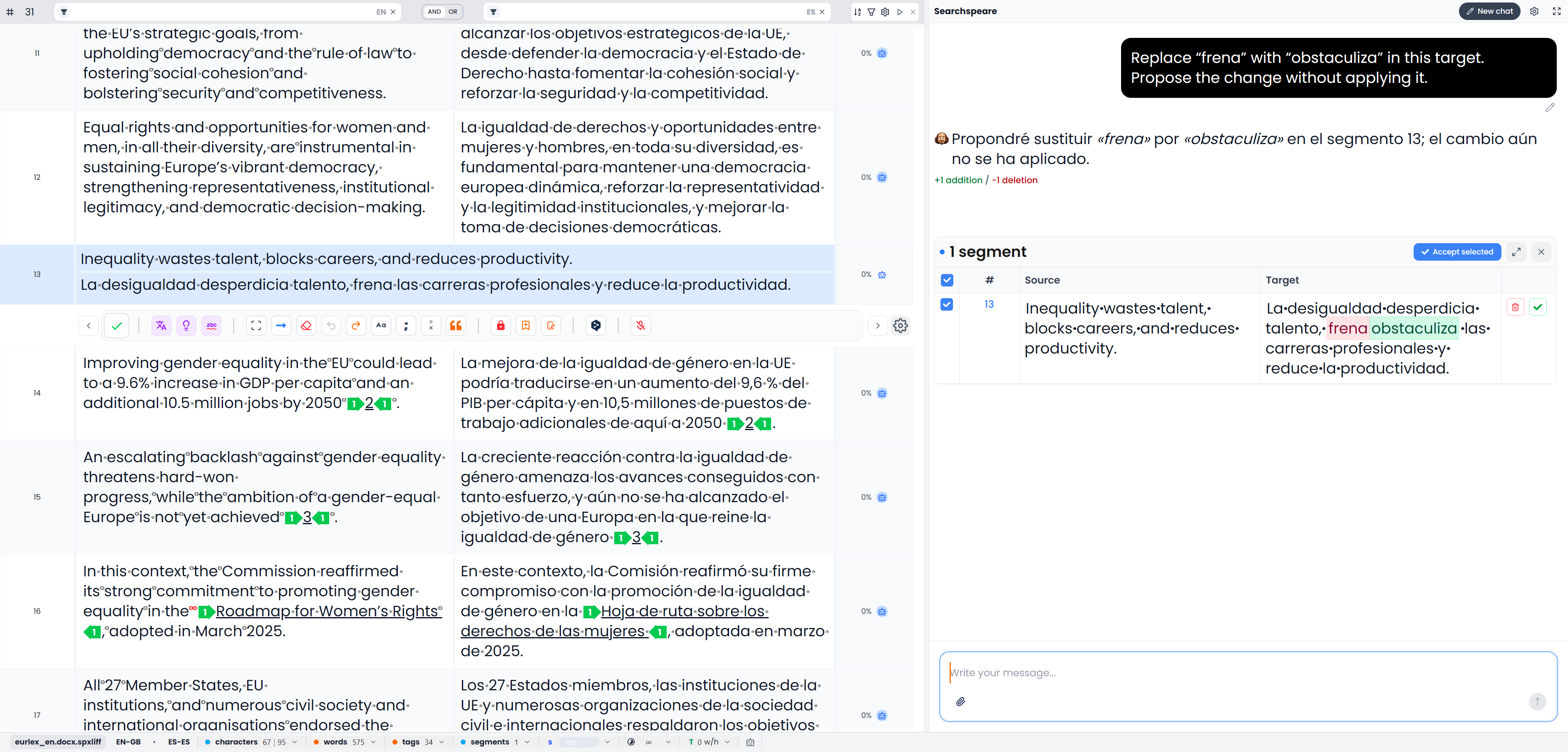
Searchspeare (Chat) tab
The tab named Searchspeare opens Chat beside your text. Use it when you need an explanation, want to discuss alternatives, or need to describe a change more precisely than a single editing command allows.
Chat and Suggestions serve different purposes. Chat starts with your request and can develop into a conversation. Suggestions presents the available proposals for the active segment.
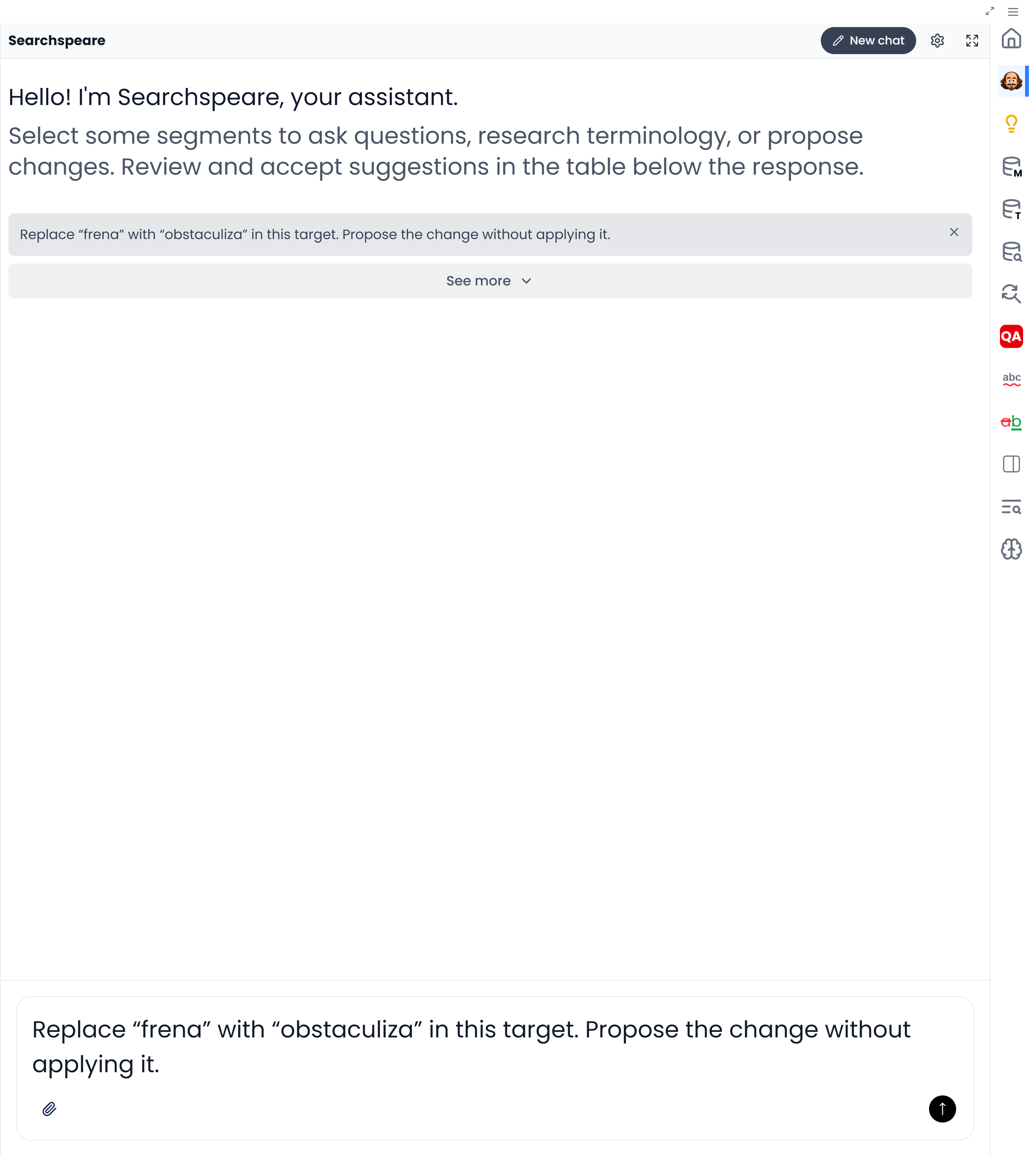
Start a focused conversation
- Select the relevant segment or segments in the editor.
- Open the Searchspeare tab.
- Inspect the attachment controls and include the source, target, or other available context needed for the task.
- State the question or requested change, including any wording or facts that must be preserved.
- Read the response and inspect any separate proposals before applying them.
For example:
Explain whether “release” means publishing the document or releasing the mechanism in this passage. Identify what context is missing before suggesting a translation.
For an edit:
Make the selected target sentences easier to read. Preserve the technical terms, numbers, and meaning. Explain any sentence you would leave unchanged.
Answers, proposed edits, and glossary suggestions
| Result | What to do next |
|---|---|
| An explanation or alternative wording in a message | Assess it and decide whether to edit the document yourself |
| A text-change proposal | Inspect the differences and use its apply controls for changes you want |
| Proposed glossary entries | Review the pairs and use the separate add-to-glossary action |
A reply is not an applied edit
Reading a message does not change your target. Applying a text proposal and confirming a segment are separate decisions, subject to the preview acceptance preferences described in Review proposed changes.
Choose the text and instructions to include
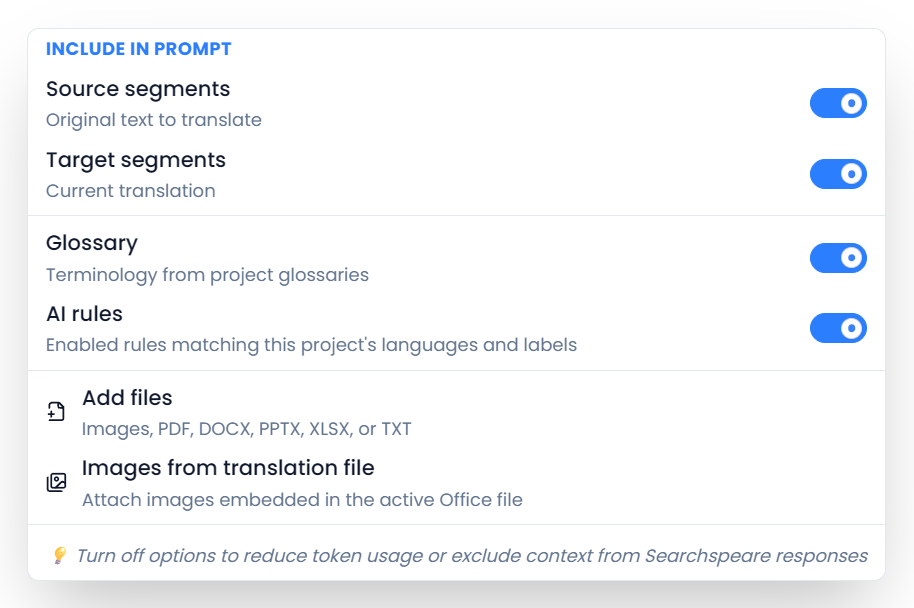
The selected rows, supplied attachments, and current workspace matter. A terminology discussion in a glossary uses term context; a translation discussion uses translation context. In single-language review, the working document text is the material being reviewed.
Use New chat to start another conversation. To change the assistant's response style, open the gear button's Chat settings and choose Agent personality. Put requirements for the translation in project instructions or AI rules.
If a response fails, use Retry where offered and inspect any retained proposals before applying a new result. For attachments, conversation tools, and examples, see Chat with Searchspeare.